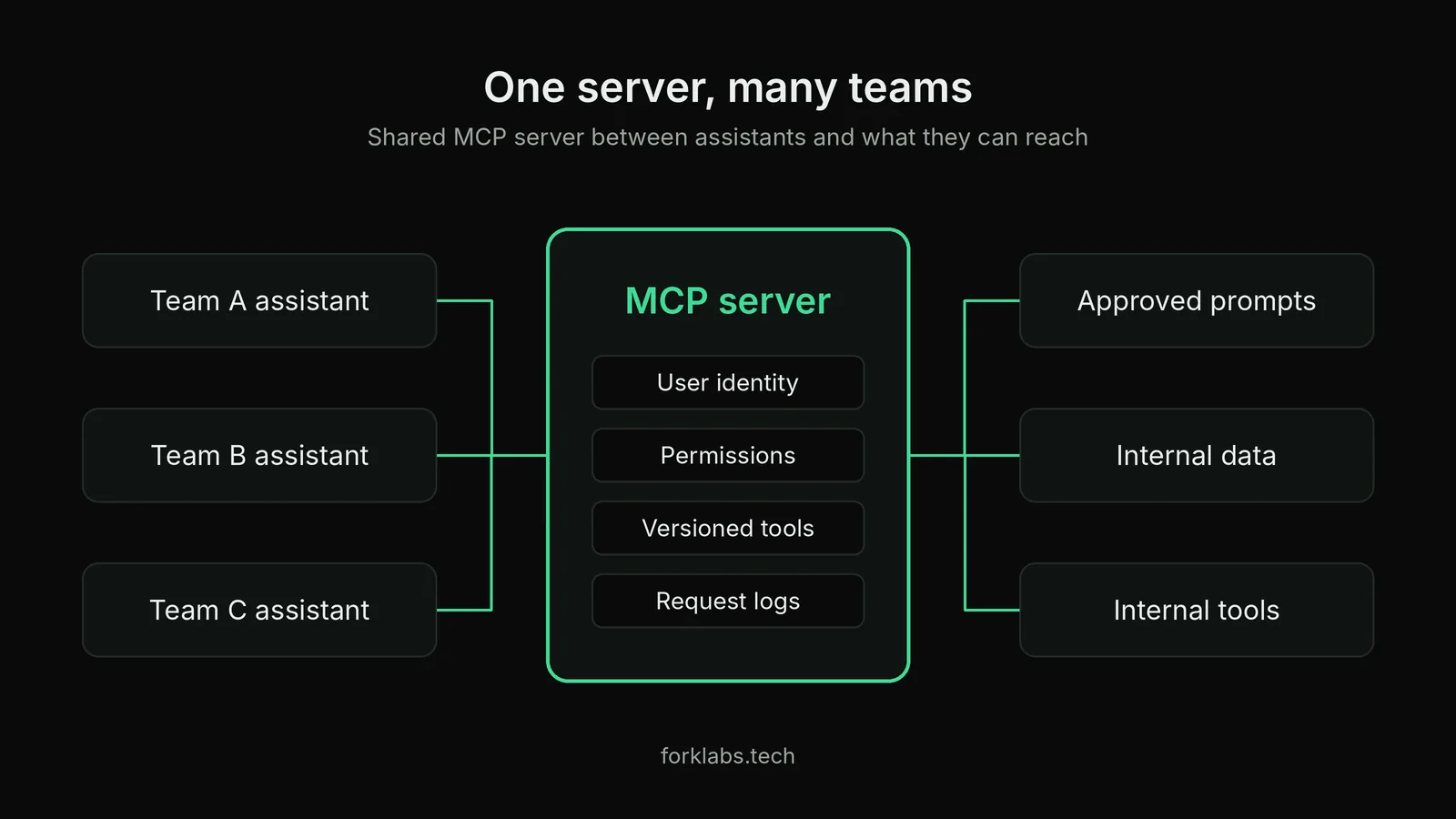
Most internal Model Context Protocol (MCP) servers start the same way. Someone wires one tool into an assistant, it works in a demo, and a week later three other teams want in. That is the point where the quick prototype becomes shared infrastructure, and where the early shortcuts start to cost you.
I built a Prompt Registry MCP server in earlier work to standardise how different enterprise teams talk to LLMs. The decisions below are the ones I would settle before writing the first tool on any internal server. None of them is hard. All of them are painful to change once other teams depend on the server.
1. Decide what is a tool, a resource or a prompt
MCP gives you three building blocks, and they differ mainly in who controls them.
| Primitive | Who decides to use it | Good fit |
|---|---|---|
| Tool | The model | Actions and lookups with side effects or parameters |
| Resource | The application | Read-only context such as documents or schemas |
| Prompt | The user | Reusable templates the user picks explicitly |
A common mistake is exposing everything as a tool because tools are the best-supported primitive. A read-only document does not need the model to decide when to fetch it, and a template the user should choose by name should not be something the model can silently swap. Sorting each capability into the right primitive up front keeps behaviour predictable.
2. Pick the transport for where it will run
An MCP server can run locally over stdio or remotely over HTTP. Local stdio is simplest for one developer: no network, no auth, and the process lives and dies with the client.
A server shared by several teams needs a remote HTTP transport. That changes your obligations. You now need a deployment target, health checks, rate limits and a story for upgrades. If you expect more than one team to use the server within a quarter, design for remote from the start, even if the first version runs on one container.
3. Treat authentication as per-user, not per-server
The easy path is one service credential baked into the server. It works until someone asks who ran a query, or why a contractor's assistant can read finance data.
Authorise on behalf of the person using the assistant, not just the assistant itself. In practice that means:
- Use your existing identity provider so the server receives a user identity with every request.
- Check permissions inside each tool, not only at the connection.
- Keep credentials for downstream systems out of tool outputs and logs.
If a tool wraps an internal API that already enforces permissions, pass the user's identity through instead of re-implementing the rules inside the server.
4. Version what the model sees
Tool names, descriptions and parameter schemas are read by the model. That makes them part of your prompt, not just documentation. Rewording a description can change which tool gets called and with what arguments, with no code change at all.
So version them like code:
- Keep descriptions in files under source control and review changes in pull requests.
- Add a short regression set of requests that must still route to the right tool.
- Avoid renaming tools. Add the new one, deprecate the old one, and remove it after clients move.
A minimal sketch of a versioned lookup tool, using the Python SDK, looks like this (illustrative, not production code):
from mcp.server.fastmcp import FastMCP

mcp = FastMCP("prompt-registry")

@mcp.tool()
def get_prompt(name: str, version: str = "latest") -> str:
    """Return an approved prompt template by name and version."""
    return registry.fetch(name=name, version=version)
The point of the version parameter is that a team can pin to a known-good template while another team tries the next one.
5. Log enough to debug and measure
When an assistant gives a wrong answer, the first question is what the server actually returned. If you cannot answer that, you cannot fix it.
At minimum, log per request:
- Which tool was called, with which arguments, by which user.
- What the tool returned, truncated if large.
- Latency and any downstream errors.
Then use those logs. Sample a few real conversations each week and check whether the right tool was chosen. For example, if a search tool and a lookup tool overlap, the logs will show the model picking the wrong one, and you can fix it by sharpening the descriptions or merging the tools.
6. Keep the surface small
It is tempting to expose every internal endpoint. Resist it. Each extra tool adds description text the model must read on every request, and increases the chance of a wrong call. Fewer, well-named tools with clear boundaries usually beat a long list of narrow ones.
A useful test: if two tools would be described with almost the same sentence, they are probably one tool with a parameter. And if a tool is called rarely and by only one team, it may belong in that team's own server rather than the shared one.
A short checklist before you ship
Before opening the server to a second team, confirm that you can answer yes to each of these:
- Each capability is a tool, resource or prompt on purpose, not by default.
- The transport matches where and how many people will use it.
- Every request carries a user identity, and tools check permissions.
- Tool names and descriptions live in version control, with a few routing tests.
- You can see what was called, with what, and what came back.
- Nothing is exposed that you would not want the model to call unprompted.
If you cannot tick one of these, fix it while only one team depends on you. Changing auth or renaming tools after five teams are integrated is a migration project, not a refactor.